GoDaddy Smart Terminal
Outcome
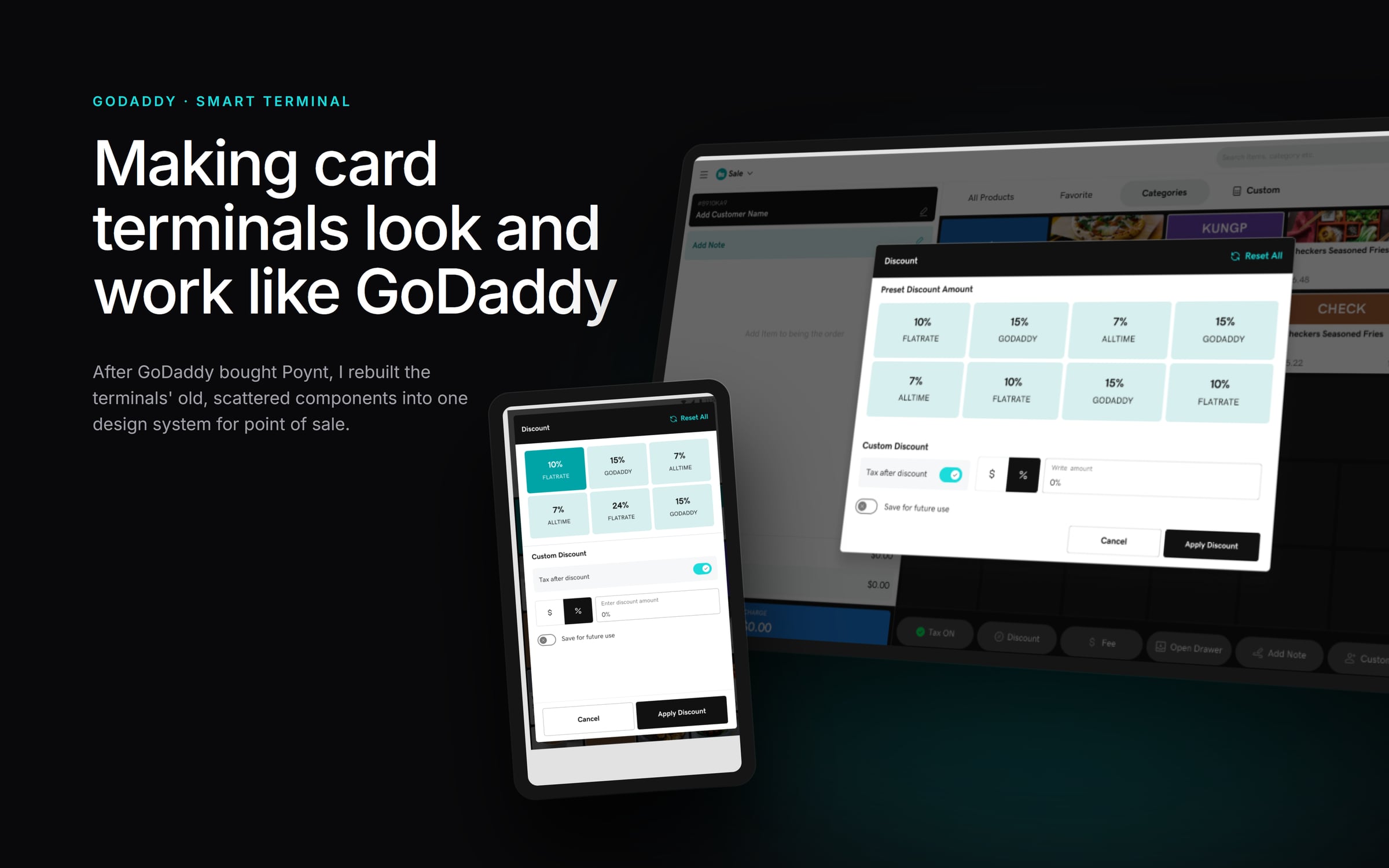
GoDaddy bought Poynt, a company that makes card terminals for merchants. Some models have a second, smaller screen facing the customer. Poynt's terminals came with their own components, which were inconsistent and outdated. My job was to make them feel like GoDaddy, with a design system made specifically for point of sale.
The Problem
Every new flow meant redesigning basic pieces from scratch, and nothing on the screens looked like GoDaddy.
My Role
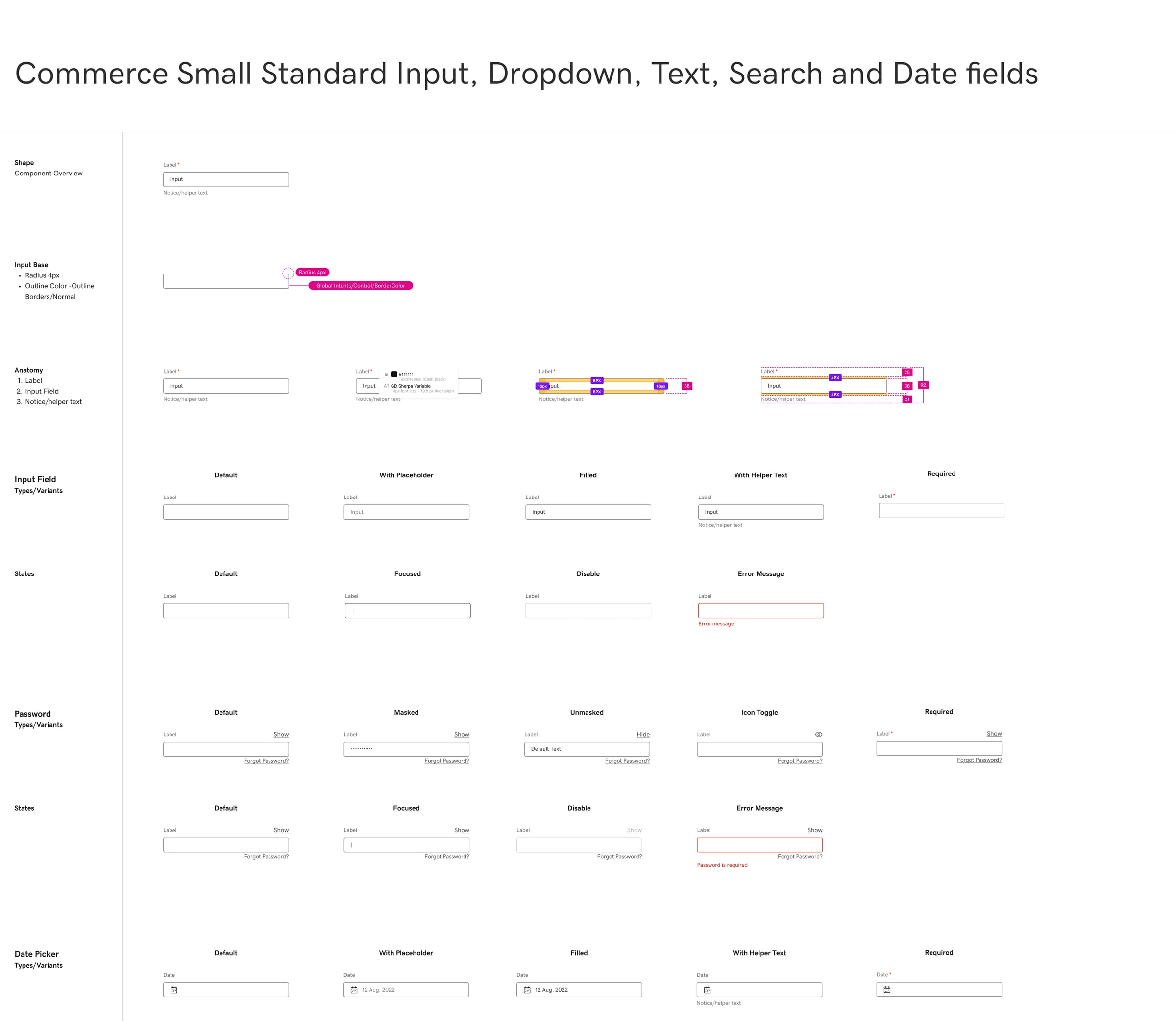
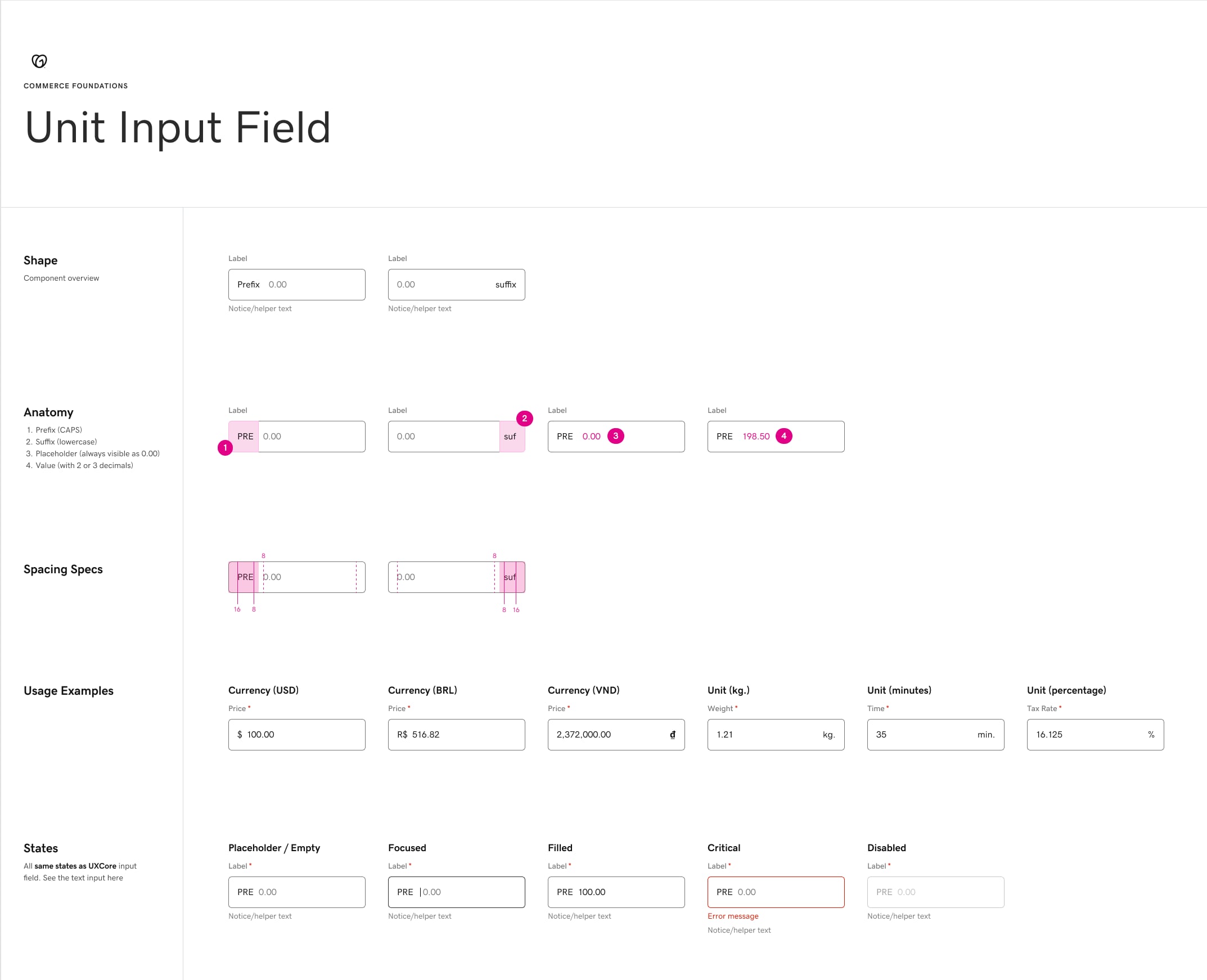
I led the design system. I mapped who used the terminals and on which devices, documented every existing component and rebuilt them on top of GoDaddy's mobile design system, adjusted for point of sale.
The Solution
A point-of-sale design system that works on six devices and on both the merchant's and the customer's screen. It's accessible and consistent, so the team could build new flows quickly.
Know the hardware
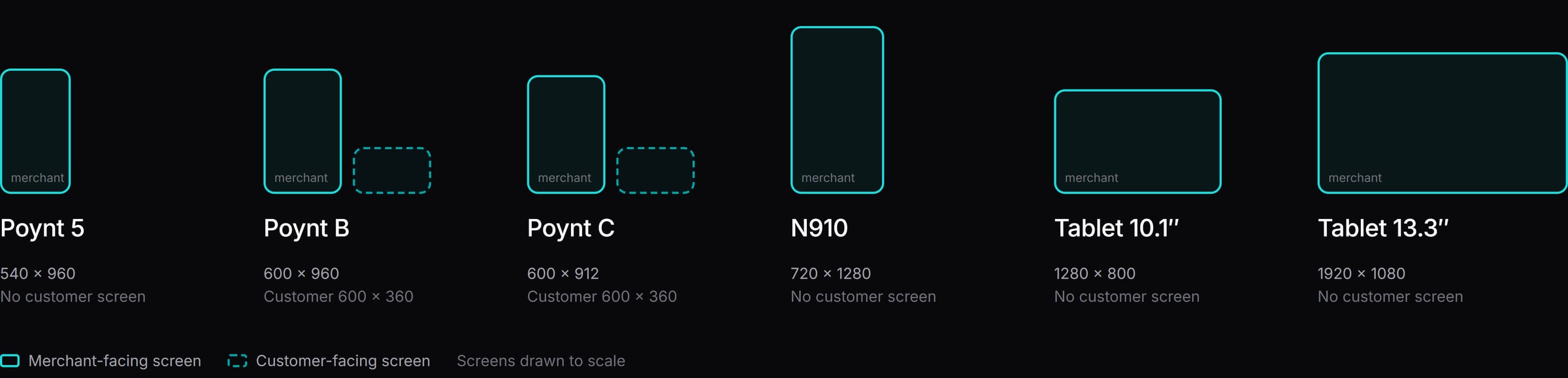
Six devices, two kinds of screens
Before designing a single component, we listed every device in use and its screen size. Some terminals only face the merchant, and others add a small screen for the customer. Every component had to work on all of them.
Color palette
- Teal #00A4A6
- Aqua #1BDBDB
- Ink #0C0C0C
- Mint #D8EFEF
- Surface #EFEFEF
- White #FFFFFF
Typography

GD Sherpa, GoDaddy's font, with 22 text styles.
Three leads, one loop
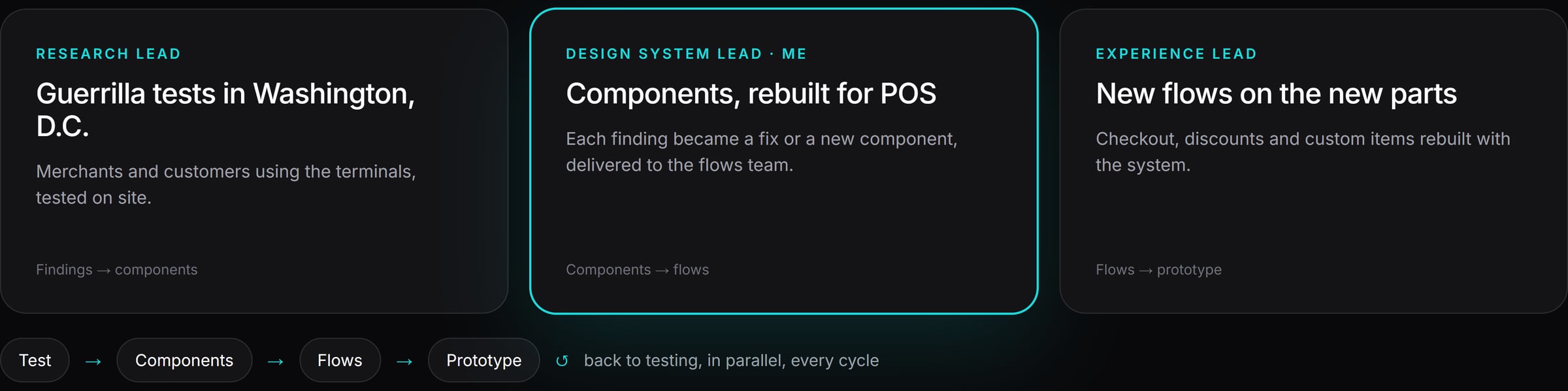
Research, system and flows running at the same time
I worked with two other design leads. The research lead tested with real merchants and customers in Washington, D.C. I handed components to the experience lead, who used them to build new flows. Each flow became a prototype, went back to testing, and the cycle started again.
Document, then rebuild
Every component documented
The new terminal
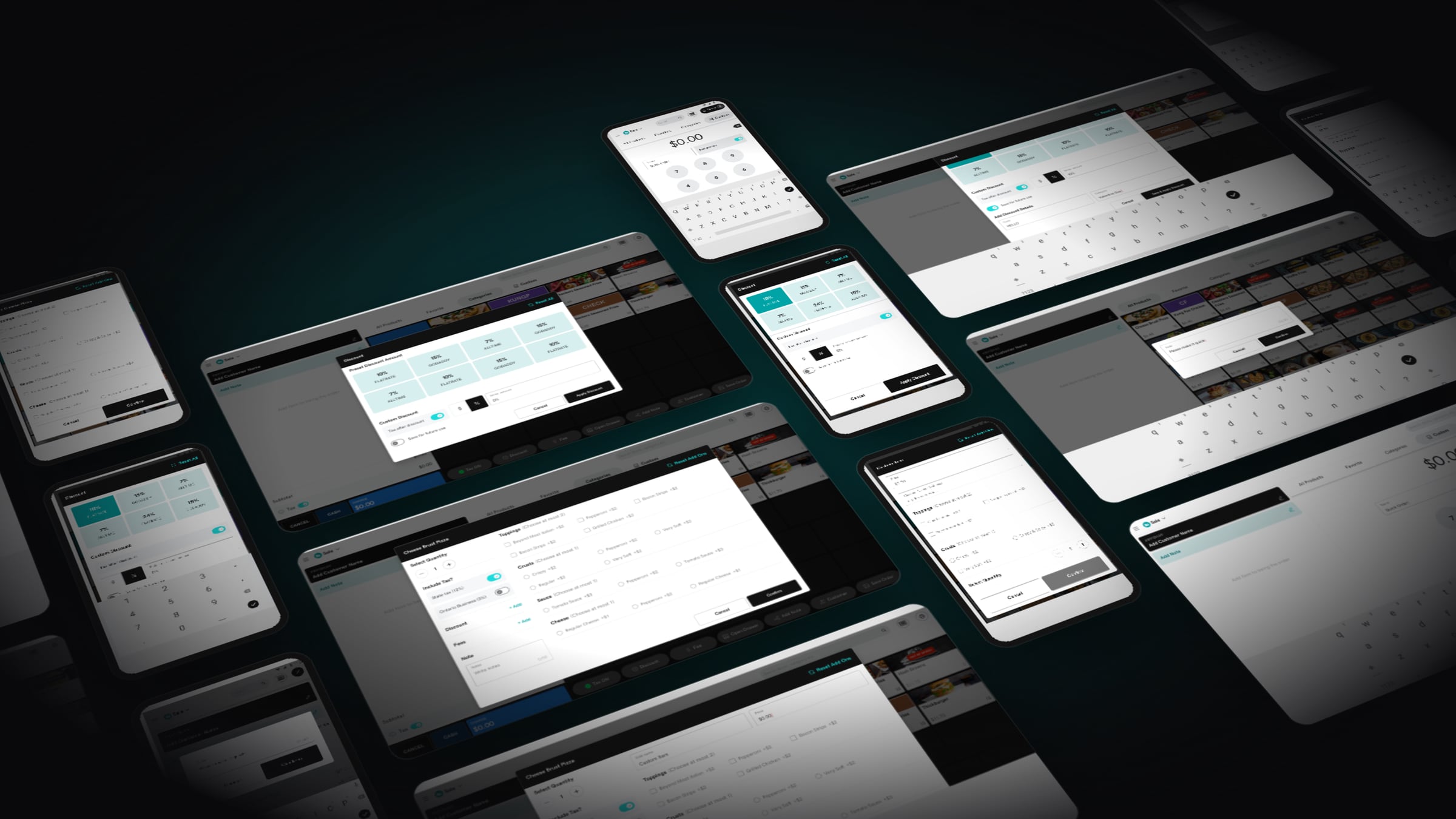
Checkout, discounts and custom items on one system
With the system ready, the experience lead rebuilt the register flows for tablet and handheld terminals: quick sale, product options, preset and custom discounts, and customer names and notes.
Mission accomplished
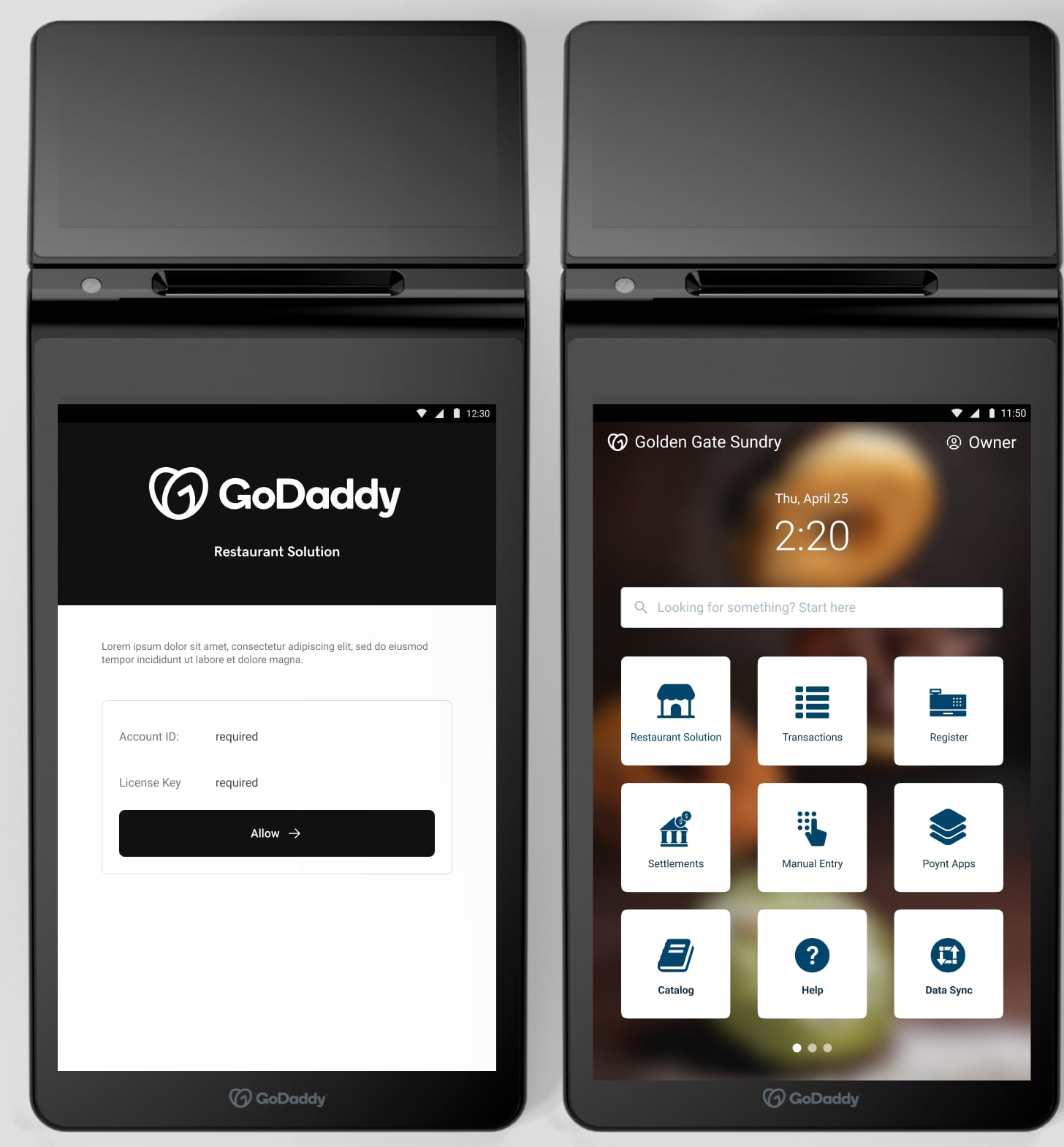
A terminal that finally looks like GoDaddy
The system made new flows faster to design and kept every screen consistent across all six devices.
The film
The Smart Terminal, launched
“Thiago led the development of our GoDaddy Smart Terminal design system. He is an incredibly talented and detail-oriented designer who took the lead in creating and implementing a system that has greatly improved the consistency and efficiency of our design process.”
Up next
Kind words
Thiago approaches every project with a meticulous and user-focused mindset, and his keen eye for UX problem-solving results in thoughtful and beautiful solutions. Thiago is not only a skilled designer but also a dedicated and hard-working team member who brings energy and enthusiasm to every project.
 Adelina GreenProduct Design Manager, GoDaddy