UpKeep Safety
Impact
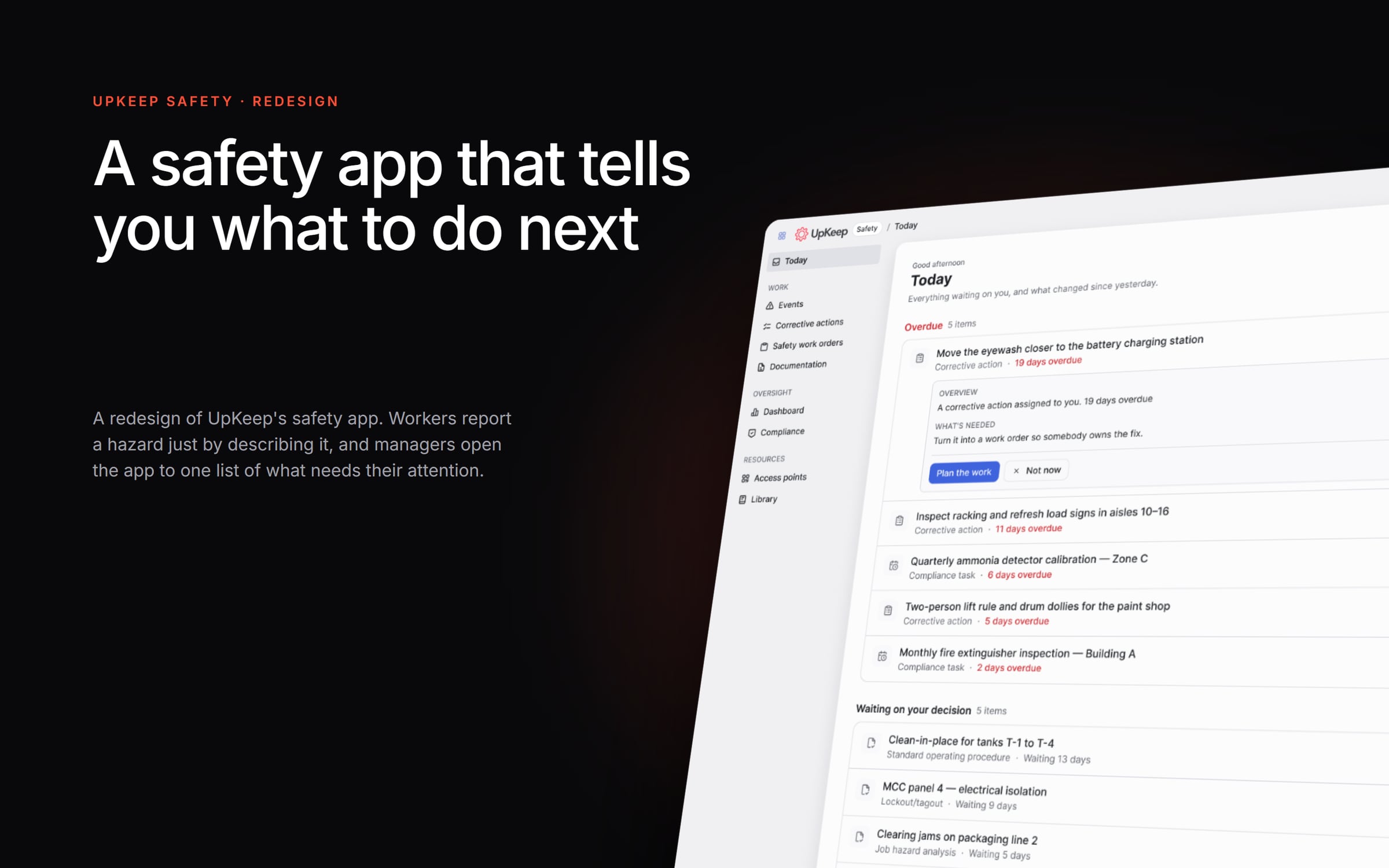
UpKeep Safety is the app factory and facility teams use to report incidents, fix hazards and stay within OSHA rules. I led the redesign from start to finish. First we shipped fixes existing customers could use right away. Then we rebuilt the product with AI at its core. The idea behind it was simple: when a safety manager opens the app, it should tell them what needs a decision next, instead of making them dig through menus.
The Problem
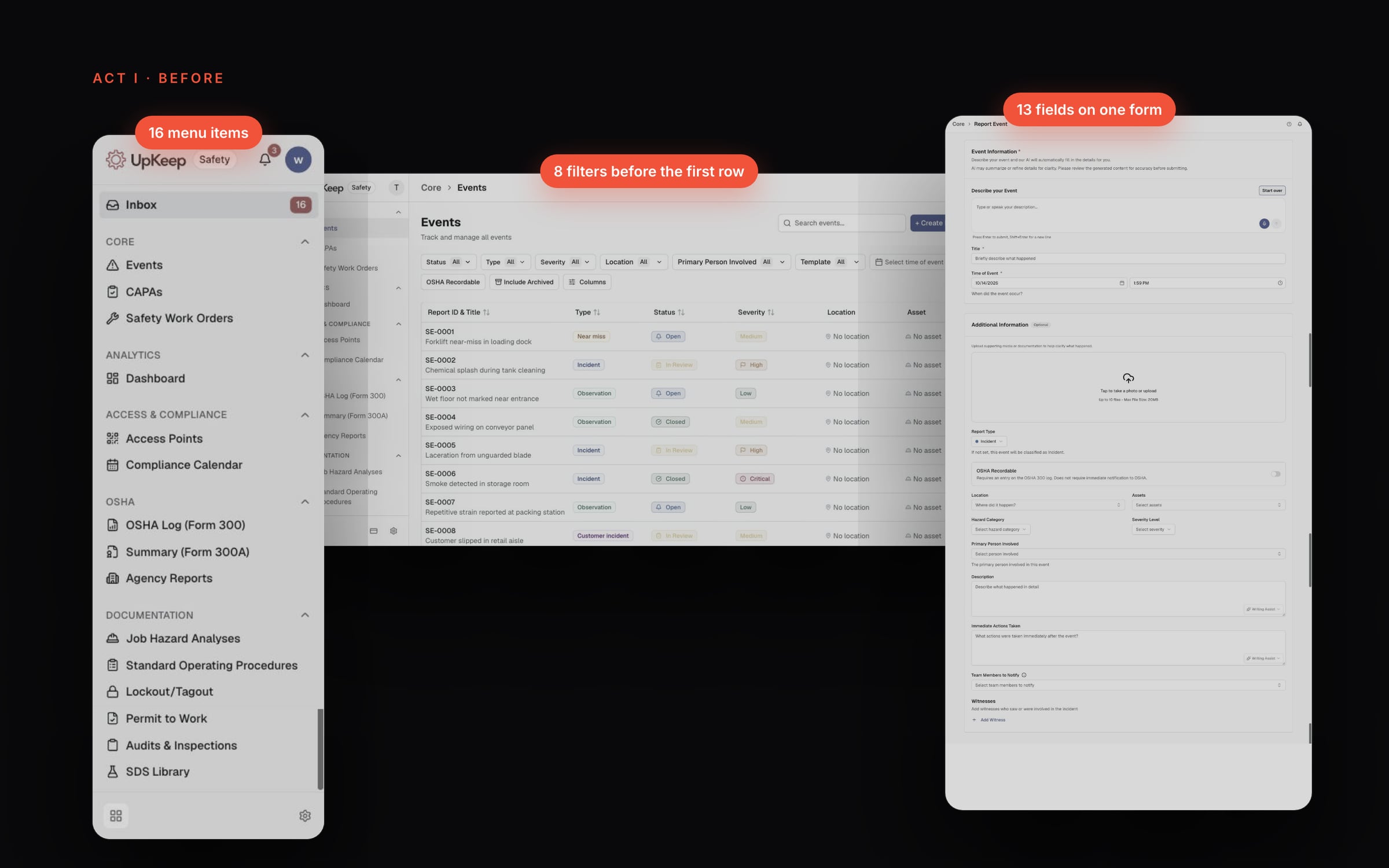
A worker who spotted an oil leak on the factory floor had to find the right place among 16 menu items and 61 pages, then fill out a long form to log it. There was already an AI box that could fill the form, but it did that silently, so nobody could tell what the worker actually said from what the AI guessed.
My Role
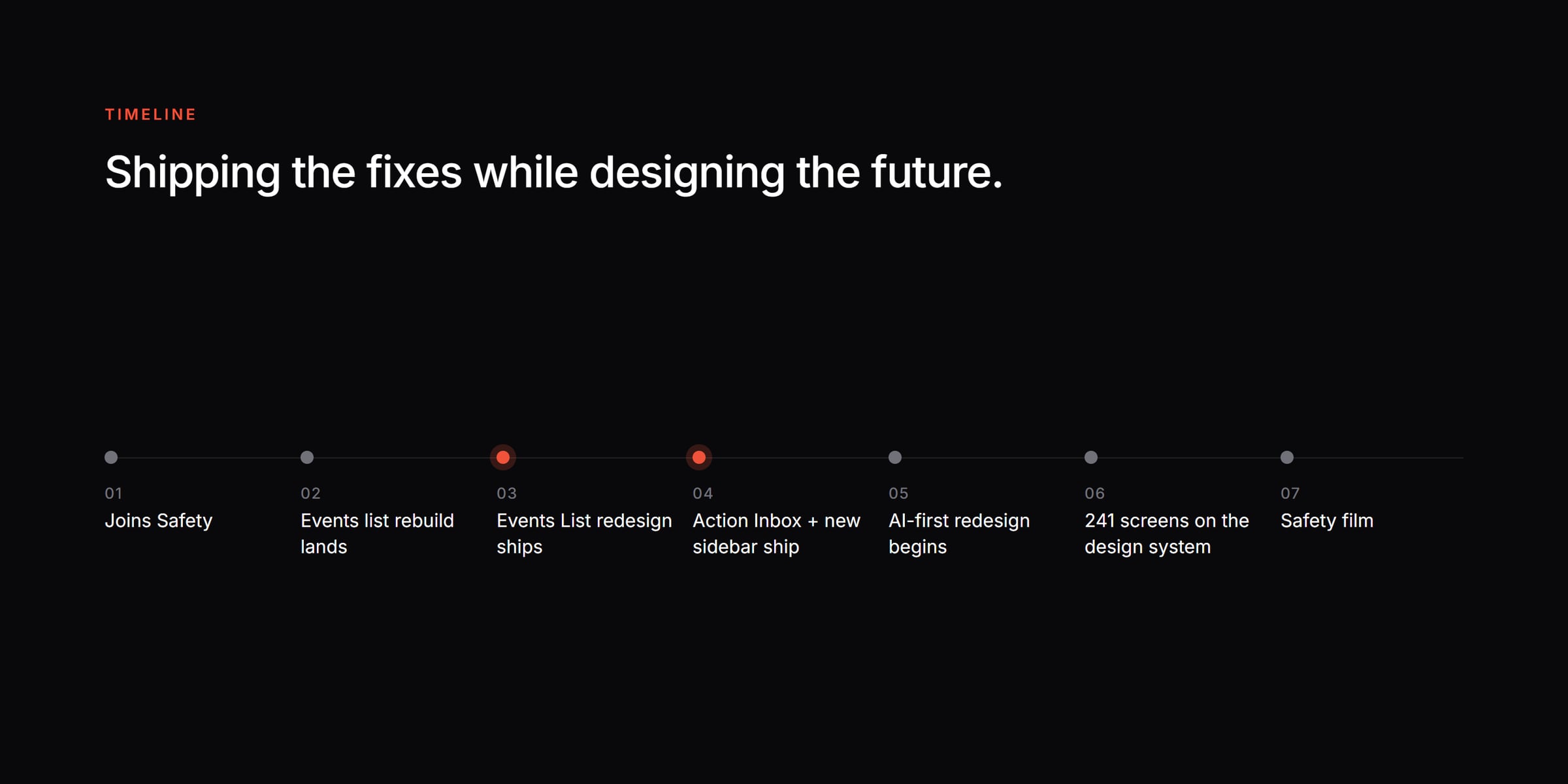
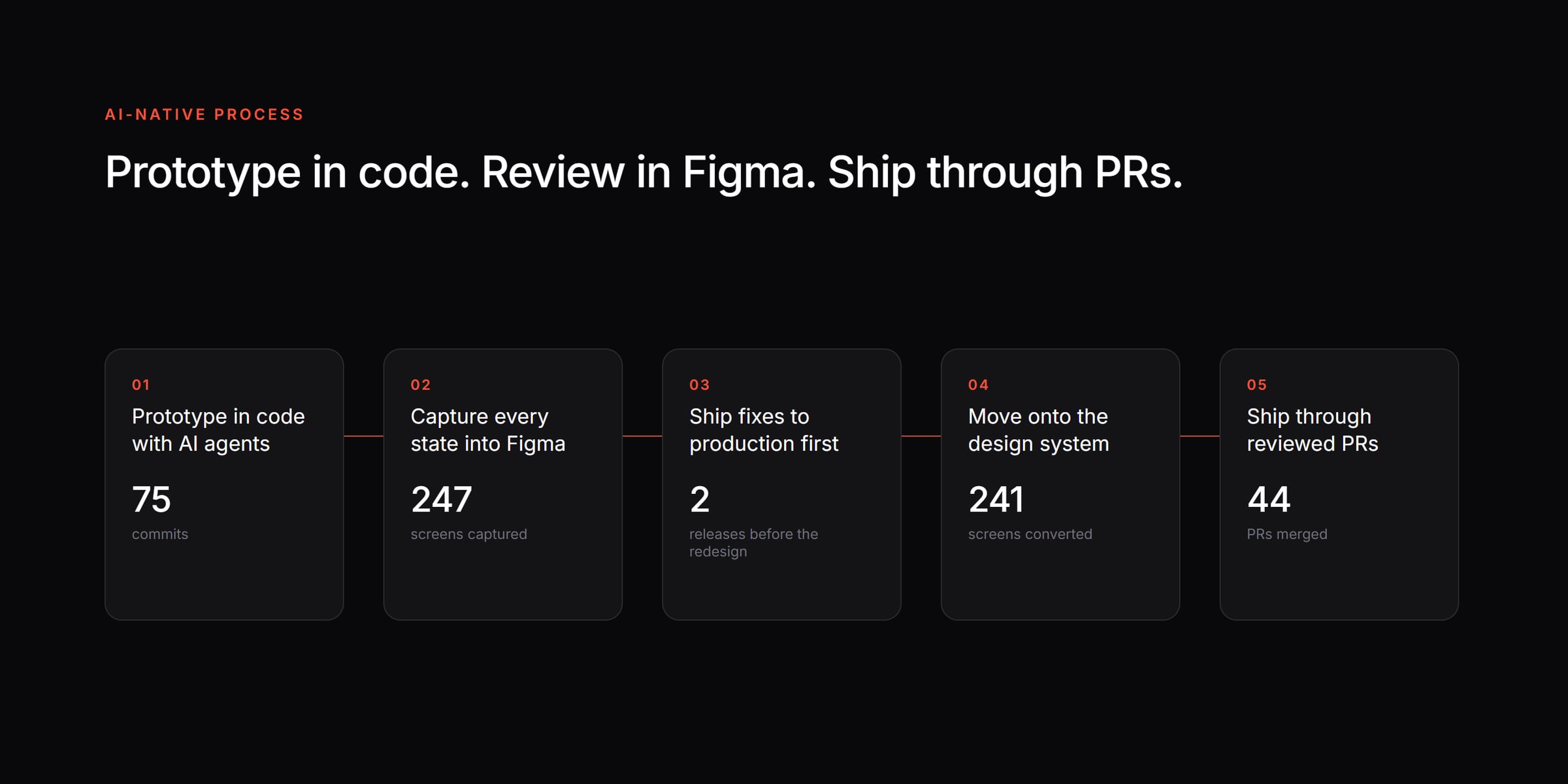
I was the UX lead on Safety and also worked as a UX engineer. I audited the product, reworked the information architecture, redesigned how reports are made and built the AI version as a working prototype in code, using AI agents. I also shipped production code alongside the engineers.
The Solution
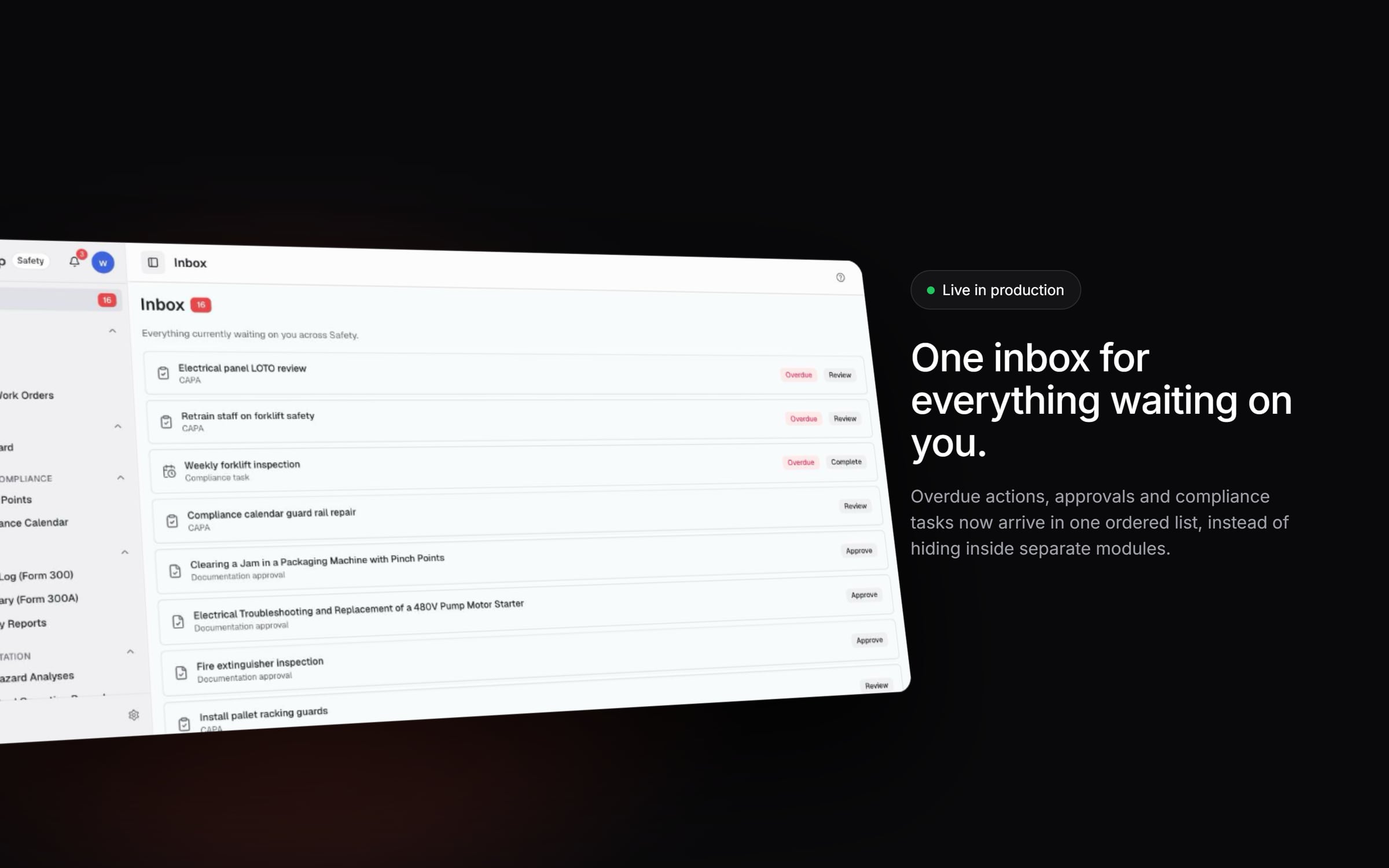
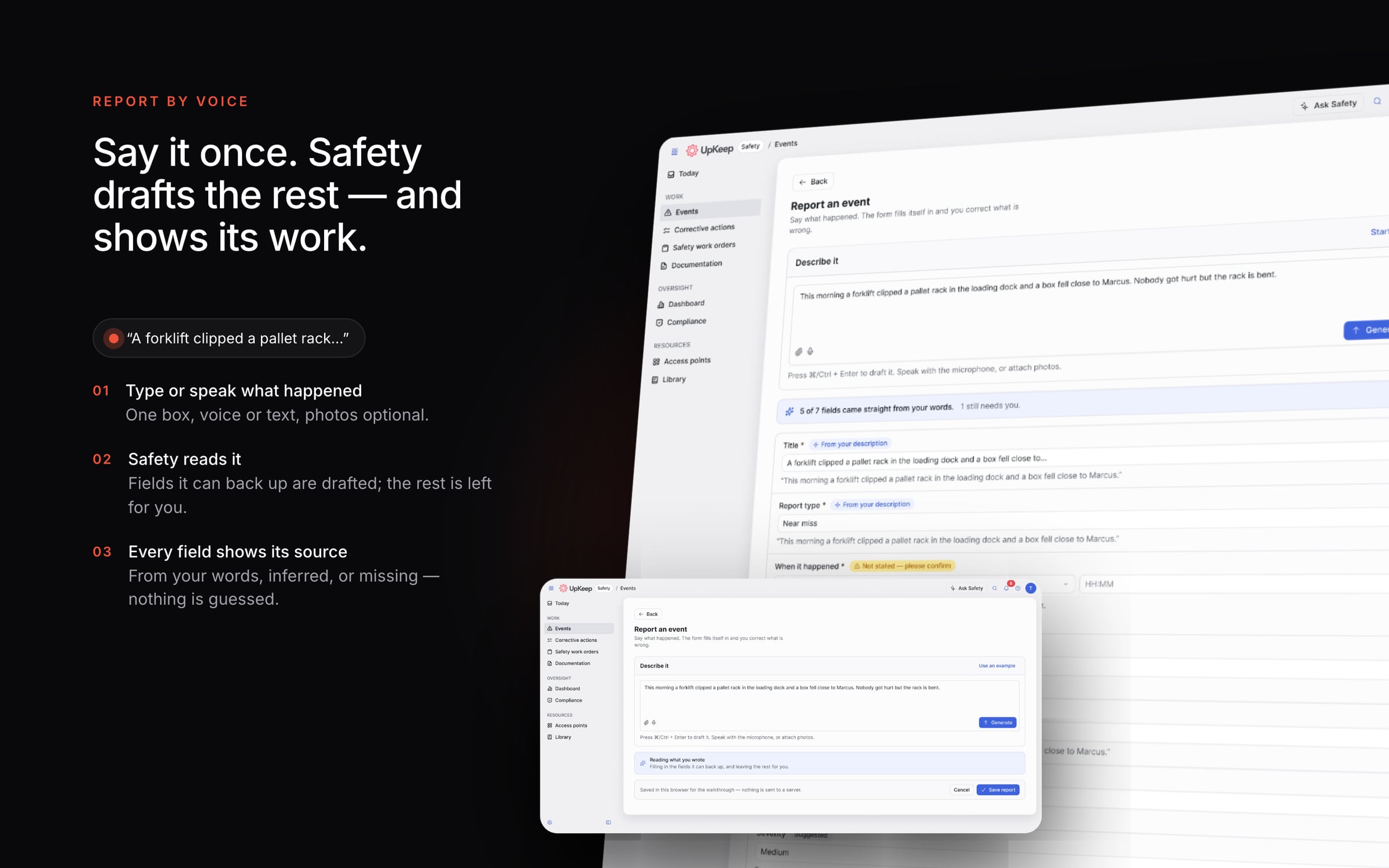
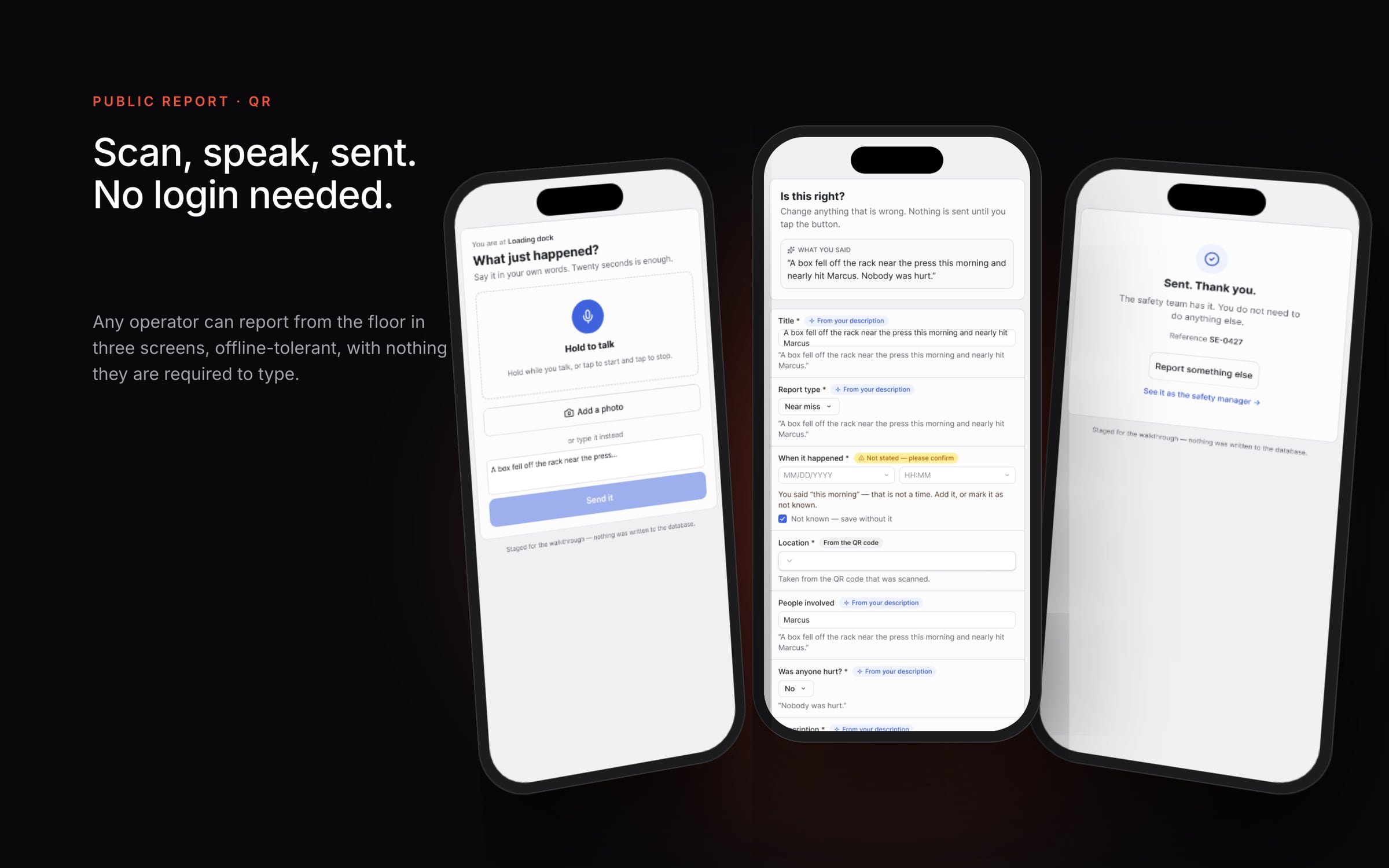
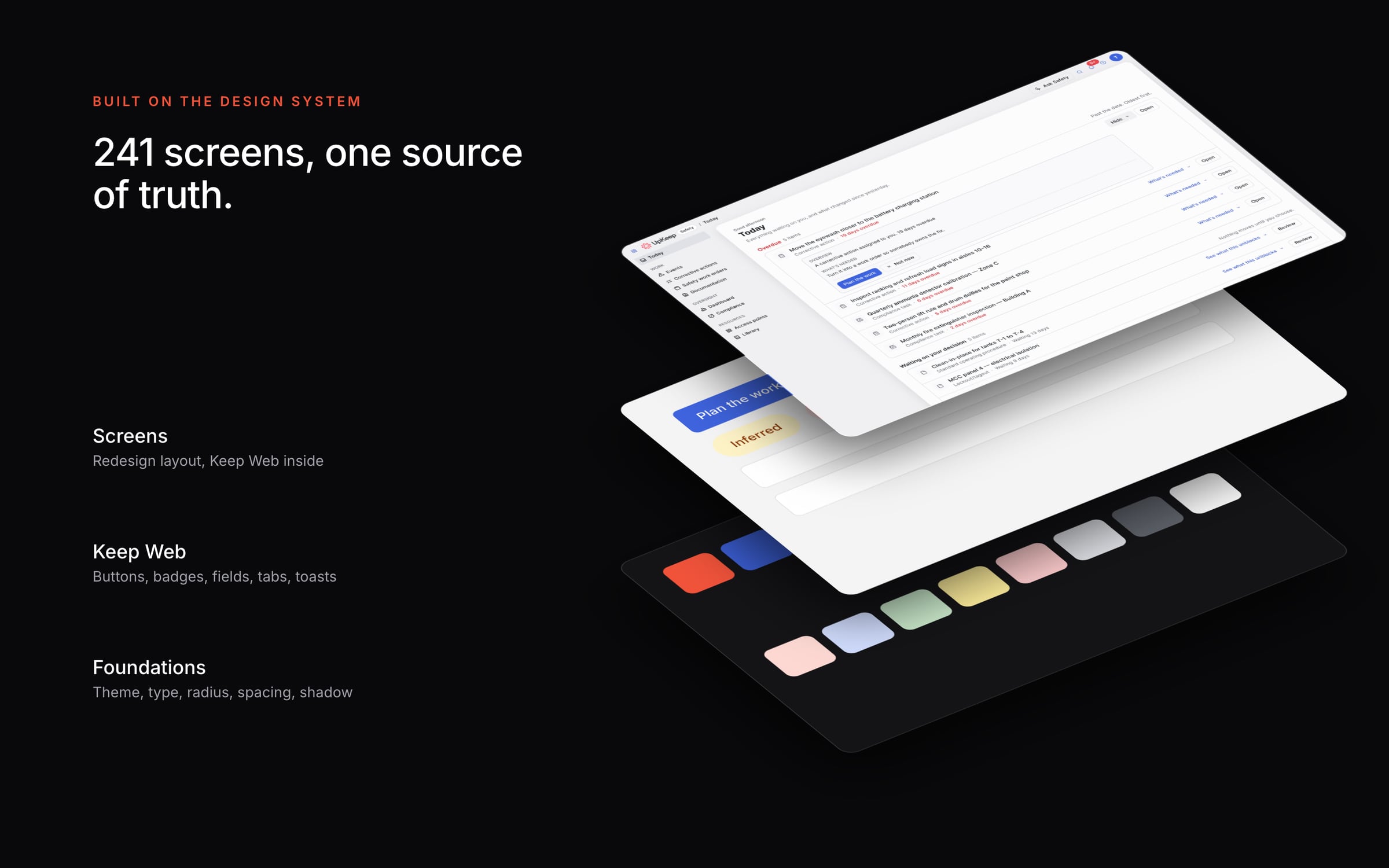
We did it in two steps. First, we rebuilt the list of events and added an inbox for pending actions, with a new sidebar. Then came the bigger change. Now a worker describes what happened in their own words and Safety drafts the report. Every field shows where it came from: something the worker said, something the AI figured out, or something still missing. Managers get one list, in order, of everything waiting on them.
Act I · Before
Before: a safety app that felt like paperwork
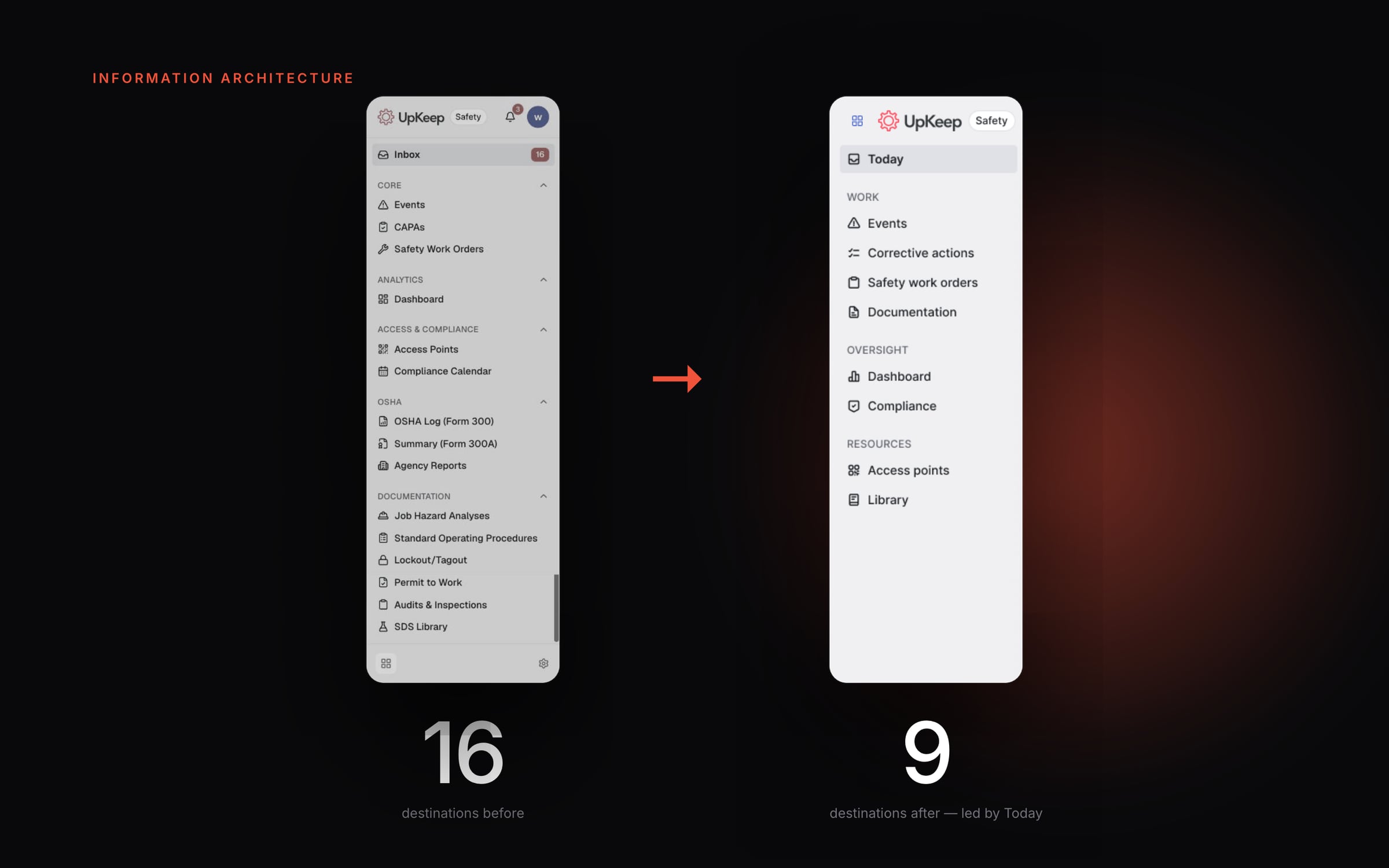
I followed a safety manager's day to see where the time went. There were 16 items in the sidebar, eight filters before you even saw the first event, and a long form just to log one hazard.
Act II · Shipped
What customers got first
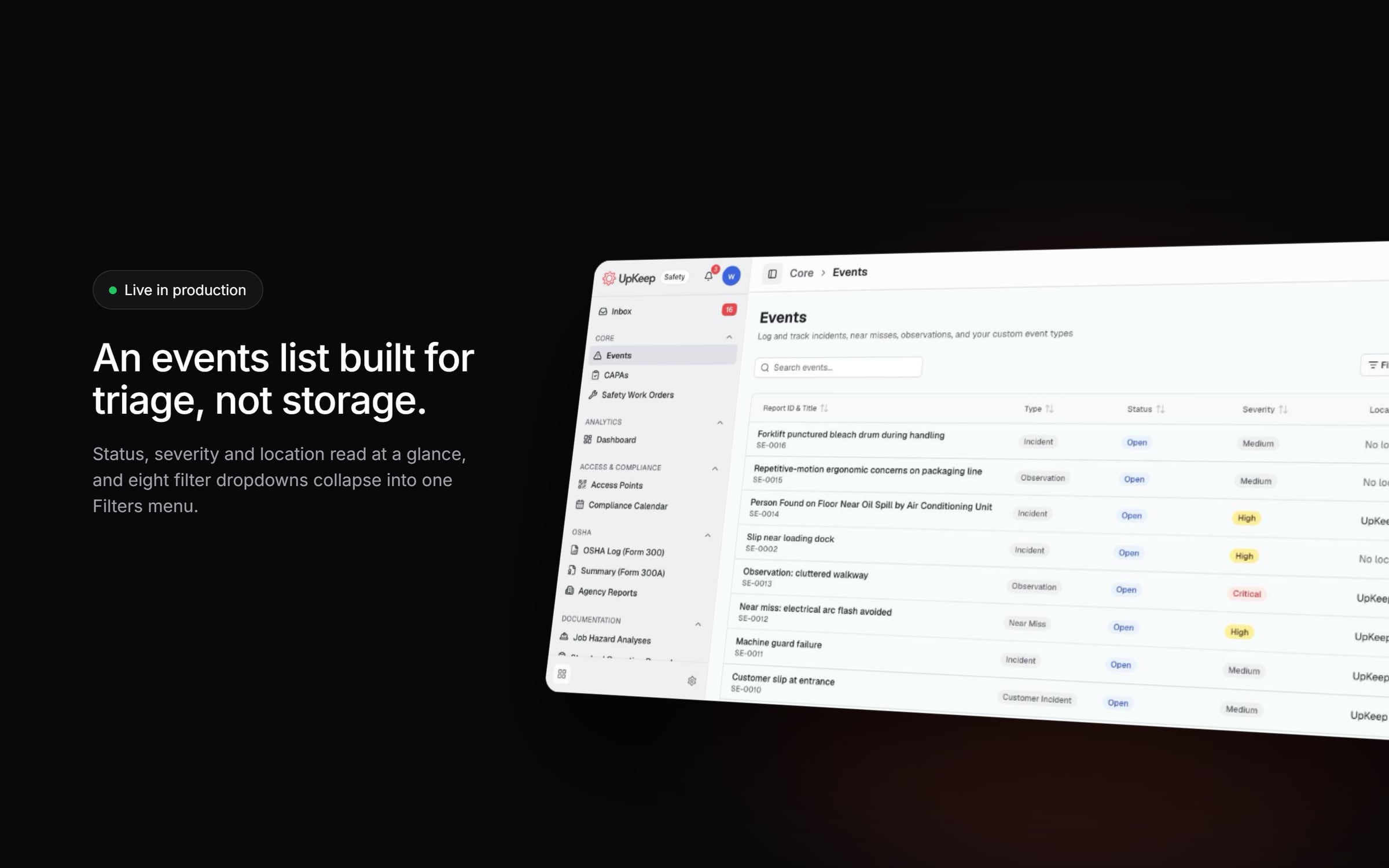
We didn't make customers wait for the full redesign. Two releases went live before it: the rebuilt list of events, and then the action inbox with the new sidebar.
Act III · Information architecture
From 16 destinations to 9
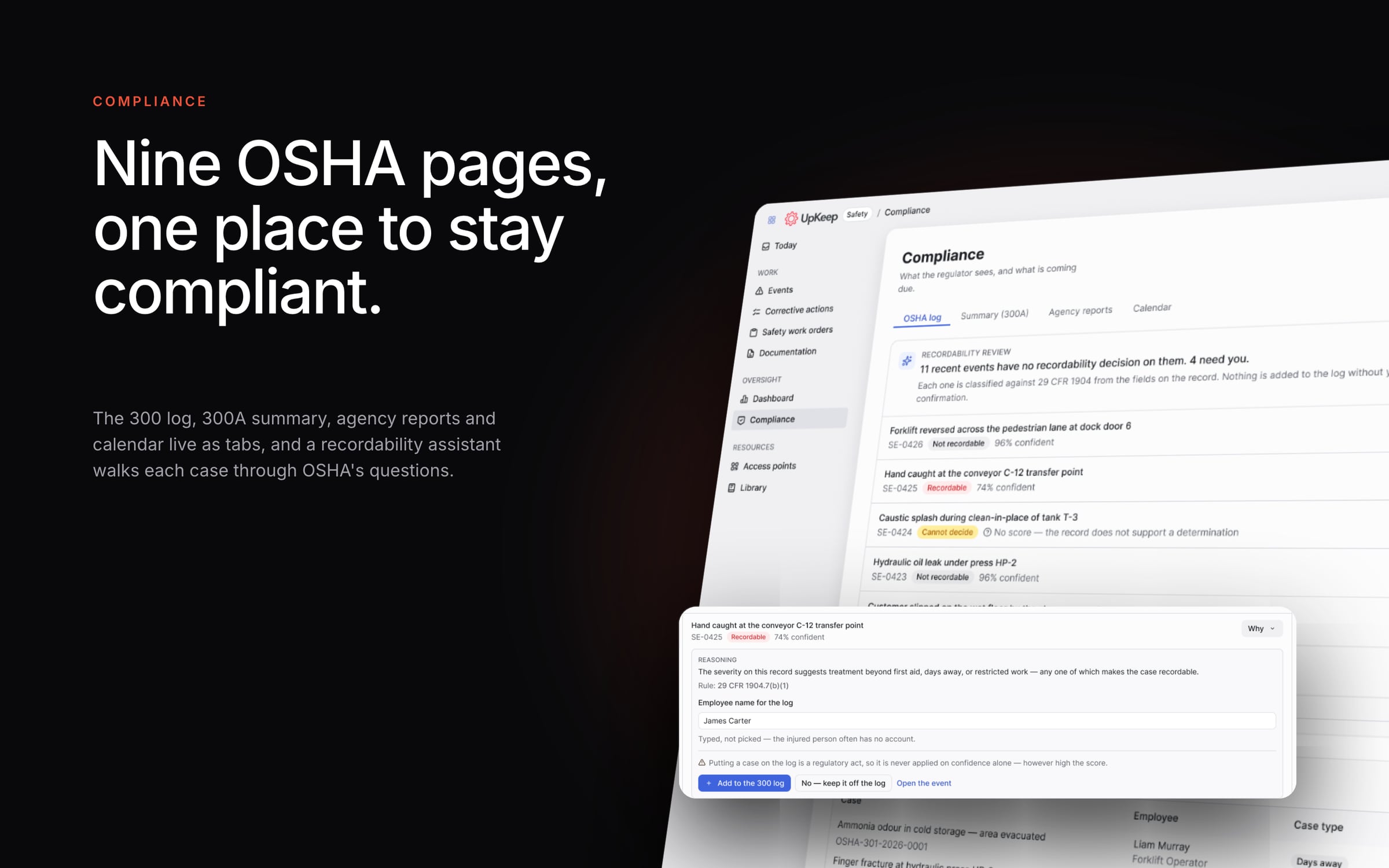
Five separate document sections became one page with tabs. Nine OSHA pages became one. The old dashboard was replaced by a screen called Today, with three things on it: what's overdue, what's waiting on a decision and what's coming up. You open the app and you know what to do.
The film
Safety, redesigned
Up next
Kind words
Thiago approaches every project with a meticulous and user-focused mindset, and his keen eye for UX problem-solving results in thoughtful and beautiful solutions. Thiago is not only a skilled designer but also a dedicated and hard-working team member who brings energy and enthusiasm to every project.
 Adelina GreenProduct Design Manager, GoDaddy