Walmart Contacts
Outcome

Walmart has Vision Centers all over the US. When a patient walks out of an eye exam with a prescription, they should be able to buy contact lenses without leaving Walmart. So we built Walmart Contacts, a new sub-brand: a complete contact lens store with the major brands, from catalog to checkout, on desktop and mobile.
The Problem
Walmart wanted the store to feel like Walmart, but we couldn't use Walmart's design system because the company was in the middle of a rebrand. We had to build something that looked and felt like Walmart without Walmart's own components.
My Role
I suggested using Google's Material Design, which is open source, and restyling every component to match Walmart. Then I designed the whole store: catalog, product page, prescription, cart, checkout, account and reorder.
The Solution
A store that works on any screen. Patients find their lenses by brand, enter the prescription for each eye, choose how many months of supply they want and check out. When they're running low, they can reorder just by replying YES to a text message.
Building without Walmart's design system
Material Design, dressed as Walmart
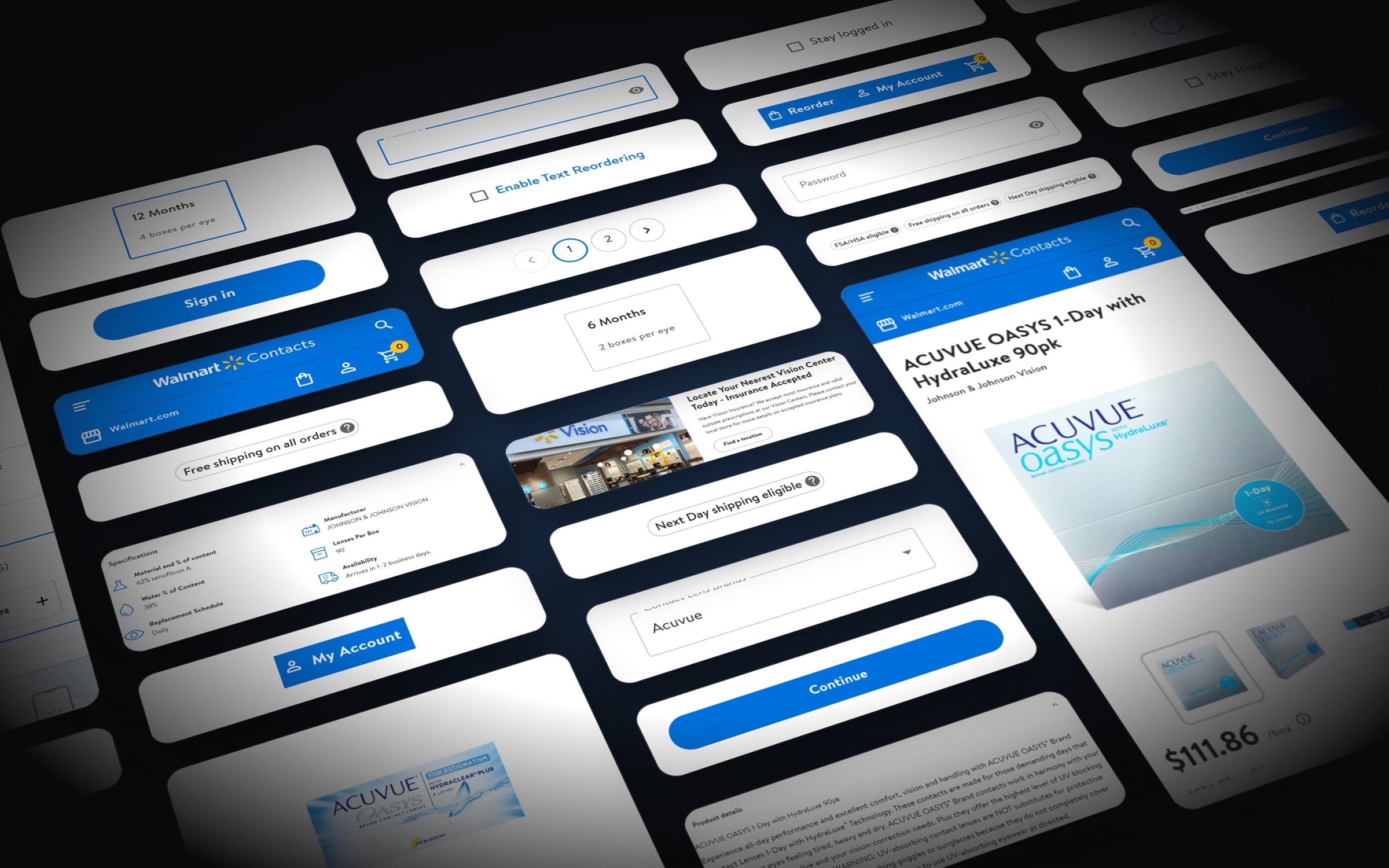
Since we didn't have Walmart's library, I took Material's components (buttons, inputs, dropdowns, steppers, chips, accordions, pagination, badges and product cards) and restyled each one with Walmart's colors, font and shapes. The live store uses 44 of them.
Color palette
- Walmart Blue #0071DC
- Deep Blue #064F8E
- Spark Yellow #FFC220
- Success Green #3B870E
- Black #000000
- Sky Tint #F3F8FC
- Light Gray #F5F5F5
- Border Gray #E6E7E8
- Text Gray #545454
- White #FFFFFF
Typography

Bogle, Walmart's own font, in three weights.
Shopping
From brand to checkout in three screens
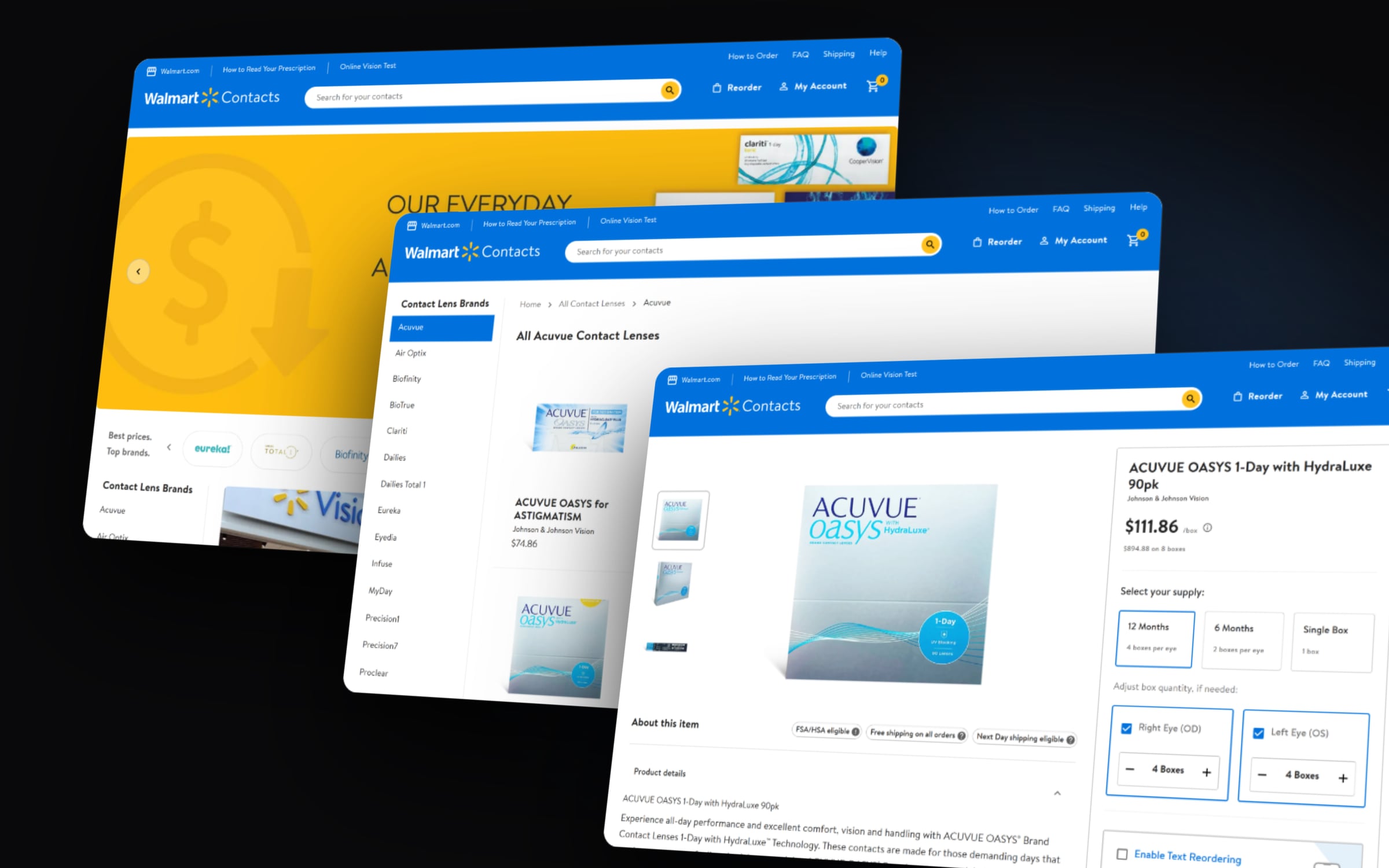
Most people know which brand their eye doctor prescribed, so that's where the journey starts. They can filter by manufacturer or lens type, and the product page only asks for three things: months of supply, boxes per eye and the prescription. Badges for FSA/HSA eligibility and free shipping answer the usual questions before checkout.
Mobile
The whole store on a phone
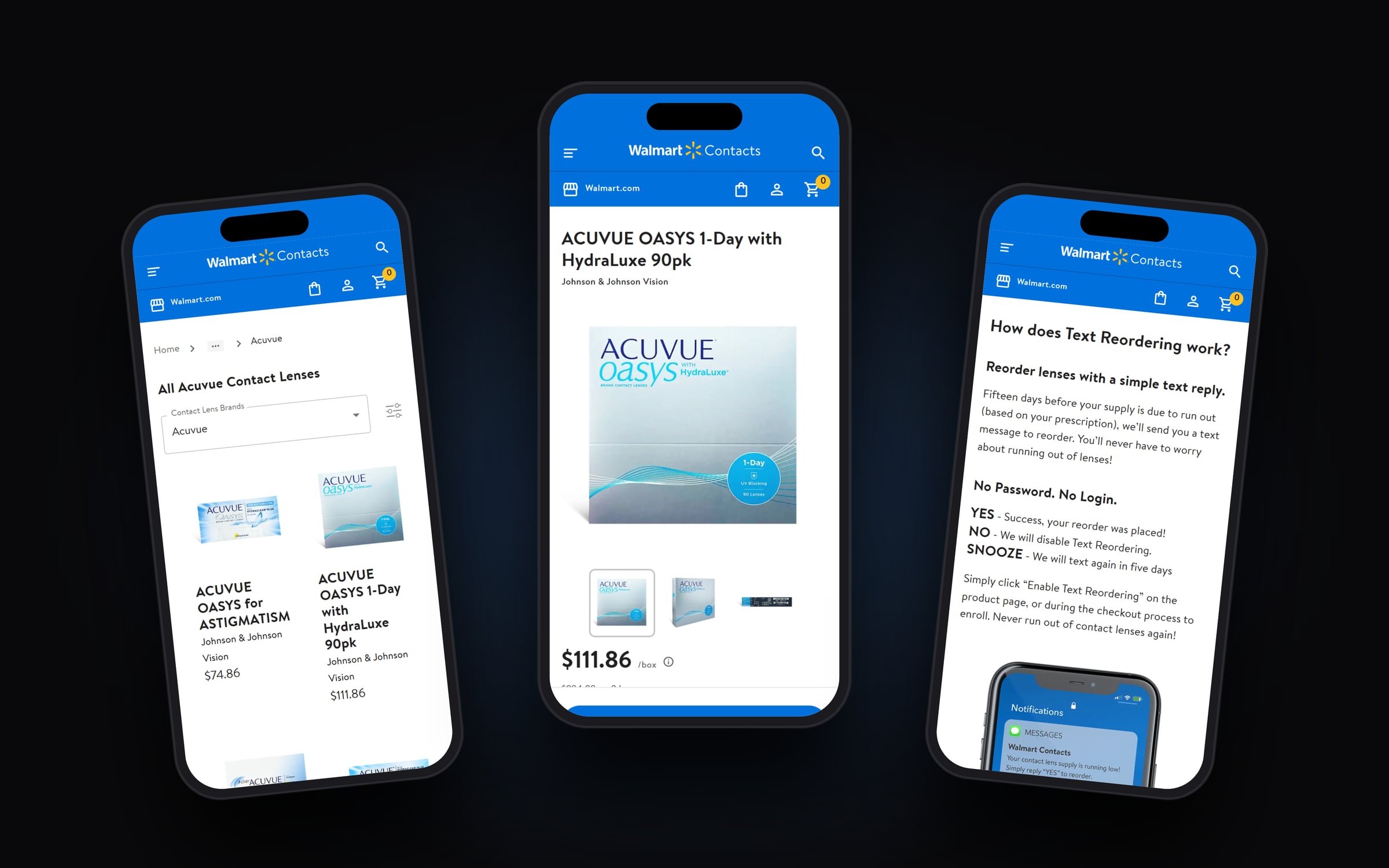
Every page adapts to mobile. Filters collapse into a single button, the product page turns into a step-by-step flow with one main button at a time, and text reordering is explained right where you turn it on.
Text Reordering
Reorder by replying YES
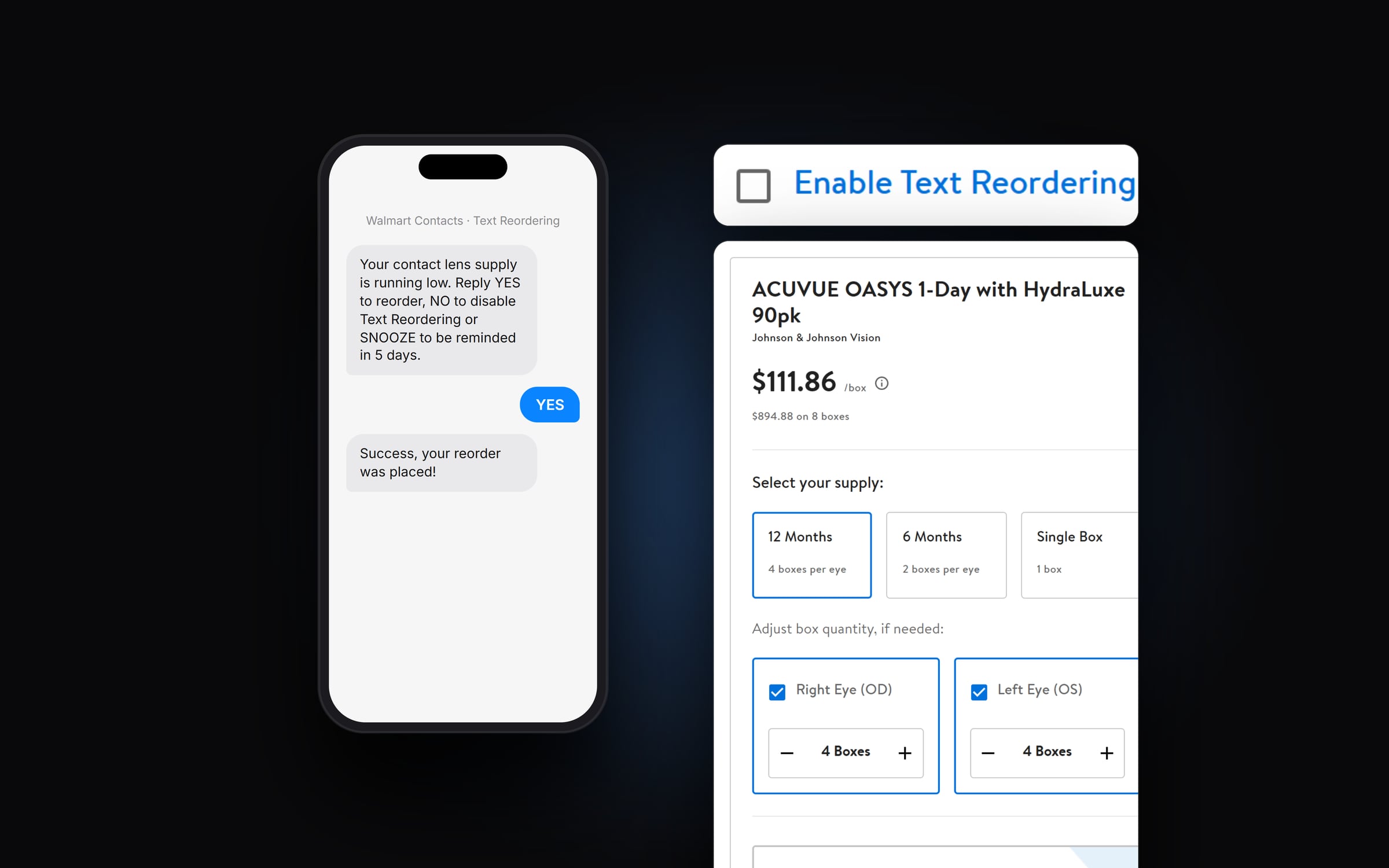
Customers turn it on from the product page or at checkout. Fifteen days before their lenses run out, based on the prescription, they get a text. Reply YES and the order goes through with the saved details. NO turns it off, and SNOOZE asks again in five days. No password and no login needed.
Up next
Kind words
Thiago approaches every project with a meticulous and user-focused mindset, and his keen eye for UX problem-solving results in thoughtful and beautiful solutions. Thiago is not only a skilled designer but also a dedicated and hard-working team member who brings energy and enthusiasm to every project.
 Adelina GreenProduct Design Manager, GoDaddy